Turn on Translator
Showing posts with label video. Show all posts

Thursday, December 23, 2010

Balázs Fecó & Keresztes Ildikó: A csönd éve

Riya SenImage via Wikipedia
A slideshow-t Balázs Fecó és Keresztes Ildikó közösen előadott dalára készítettem. Ez egy régi Korál sláger, amit Szekeres Tamás hangszerelt újra.
Enhanced by Zemanta

Monday, November 15, 2010

Tuesday, November 2, 2010

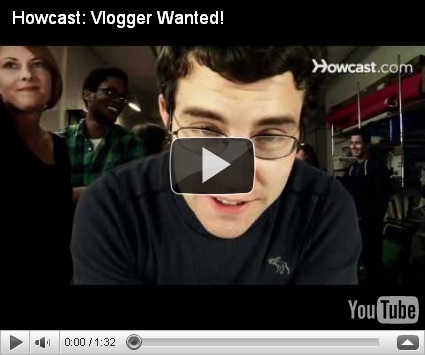
Vlogger Wanted!

image
Hi Howcast fans,
We need your help to find the perfect person for our video blog!
We're looking for someone to produce, edit, and host our new video blog taking a look inside Howcast and the world of how-to. This is a real, paid, part-time gig in our NYC office in SoHo.
Want to show us what you can do? Tell us why you should be the face of our new series by submitting a video response on YouTube. Be as creative as you want as long as you highlight Howcast's great how-to content.

Be sure to check out the full job requirements in the video description, which include a dynamic onscreen presence, availability to work in our New York office, and serious video shooting and editing skills. Entries will be judged on originality, charisma, technical prowess, and YouTube user comments.
Sound like you? Maybe your best friend? Your cat? OK, maybe not your cat, but you get the point. Who knows which one is harboring dreams of online video stardom? Spread the word!
And if you think you've got what it takes, submit your audition now!
Cheers,
The Howcast Team
Enhanced by Zemanta

Wednesday, October 27, 2010

RealFiction.com Dreamoc Samsung3Devent.wmv

Samsung stand at GSMA Barcelona 2008Image via Wikipedia
Product launch event for Samsung 3D television 2010. In the video you will see a DreamocXL, a 3D holographic illusion designed by RealFiction.com and a Holographic 3D stage designed by RealFiction.com.
Enhanced by Zemanta

Wednesday, July 7, 2010

Get More YouTube Views TubeTollBox YouTube Marketing with Tube Toolbox

http://budurl.com/TubeToolBox How To Get More Youtube views and Subscribers for your Business Channel and Your YouTube Videos using the Tube Toolbox Software. Just Click on this link to Download Free Version of the Tube Tool Box Software Now
Download it now for free http://tiny.cc/5dlux
Enhanced by Zemanta

Saturday, April 10, 2010

JumpStart - Increase YouTube Views

JumpStart is a revolutionary program that sends real untargeted traffic to your videos to increase its views and improve your videos rankings. Any expert marketer knows, a video on YouTube is worthless without views, as it will rank lower and end up being on the last page of search results. Unlike previous software to increase views, JumpStart does NOT require you to leave your computer on while it sends traffic to your videos! It is not a “bot” and does not violate YouTube’s Terms of Service. The technology used is like none other on the market.
When you upload a video onto YouTube, you might notice that your view count is increasing incredibly slow. Sometimes even less than 10 hits per day... This is because your video is showing up on the last page of search results. Think about the last time you browsed all the way to the last page of search results to find what you were looking for... probably never.
If you have more views, your video will not only show up on earlier search pages, but will be recommended to others via YouTube's related videos function. Your video may even be featured on YouTube's Global Homepage! (if its worthy enough).
Reblog this post [with Zemanta]

Tuesday, January 20, 2009

What is Pluck On Demand?

Pluck On Demand is a new self-serve product that adds contextually relevant content and social media to your site, increasing pageviews and user engagement while earning you incremental revenue.
How does it work?
  • A. Pluck On Demand uses a simple widget implementation. Once installed, it contextually reads pages on your site and offers users links to relevant content. When a user clicks on a link, a new page is generated within your site where the full article or video can be viewed.
  • B. Pluck On Demand activates a vibrant new community on your site, allowing user comments, recommendations, profiles and more.
  • C. Content and social media widgets are pre-packaged with display and video advertising, earning you incremental revenue.
Watch the video below for more information.

Add content and social media to any website -- powered by Pluck On Demand


Reblog this post [with Zemanta]

Tuesday, November 4, 2008

YouTube Translation Should Help Globalize Videos

:en:YouTube :en:headquarters at 1000 Cherry Av...
Image via Wikipedia
New Translation Options Unveiled
A few months back, YouTube started including captions and subtitles on videos, and now to compliment this feature, they have added a translation feature, built on Google Translate.
To utilize this feature when you are watching a video:
1. Mouse-over the arrow button in the bottom right-hand corner of the video.
2. Turn Captions on by clicking on the "CC" button that appears.
3. Once the captions are on, mouse over the small arrow next to th4e "CC" button, and you will bring up a menu.
YouTube Translation
4. Select "Translate" from the menu, and you will bring up a box with a couple of pull-down menus from which you can select your language preferences.
YouTube Translation
"When you add captions to your video in one language, it will be readable to almost everybody through auto translate," writes the YouTube Team in a blog post. "While machine translation is not perfect, we hope this will help creators to offer you a better understanding of their videos."
It should definitley help do that. Business could take advantage of this feature when looking to reach global audiences. Viral videos could have a much wider reach now.


Reblog this post [with Zemanta]

Monday, October 27, 2008

What is The Seesmic?

Image representing Seesmic as depicted in Crun...Image via CrunchBase

Until now, online communication has lacked personality as it's been limited to text (IM, SMS, email). Now, Seesmic brings conversation alive through video. See and hear people share their experiences straight from their webcams, join in live conversations, and engage in real interactions with real people. It's so easy: record a video directly on Seesmic's website, or upload an existing video straight from your computer, or link to a video posted on a social network, whatever works for you, works for us. Join the Seesmic community and experience a new way to express yourself, to make friends, and to be seen and be heard. Conversations can also be simultaneously broadcast via Twitter and soon via other platforms. Be seen. Be heard. Be on Seesmic.

m.seesmic.com

Reblog this post [with Zemanta]